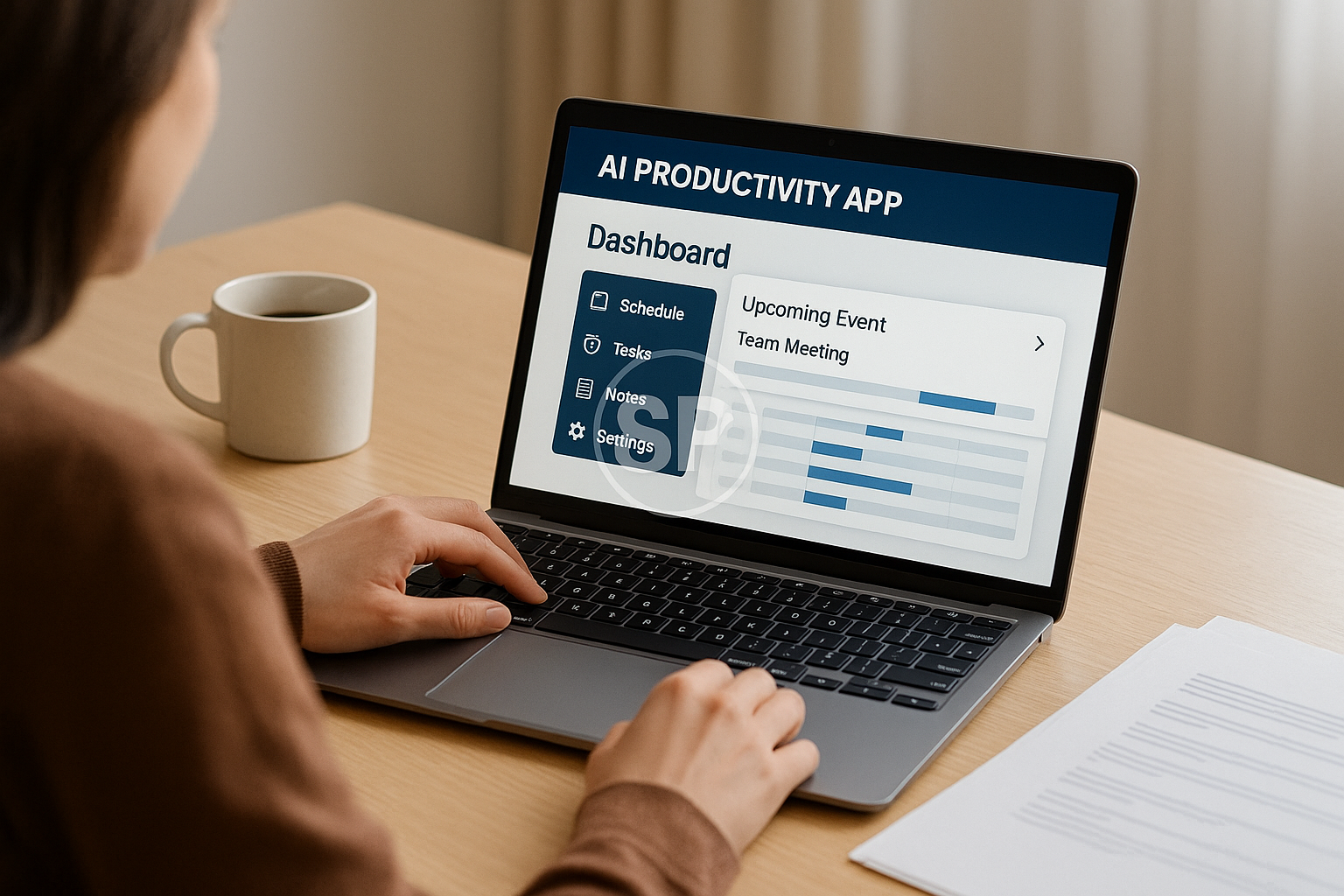
There are days when your schedule feels like an endless loop of tiny decisions — checking emails, updating spreadsheets, moving files, sending reminders… and somehow, those “five-minute tasks” steal two or three hours without warning. Many people assume productivity is about trying harder, focusing more, or forcing discipline. But in reality, the biggest performance jumps come from workflow automation, a system where the work moves forward even when you’re not actively thinking about it. And once that shift happens, your entire relationship with time changes.


It usually starts with a small moment of frustration: an overdue report you thought you already filed, a missed message buried under notifications, or the feeling that your day is busy but strangely unproductive. I’ve seen countless professionals describe this as “invisible leakage.” They’re technically working nonstop, yet they gain little momentum because their workflow is fragmented. Workflow automation exist to repair exactly this kind of structural inefficiency—by giving your routine a predictable rhythm that eliminates unnecessary decision-fatigue.


What surprises most people is that automation isn’t about replacing everything with AI… it’s about removing friction from tasks you repeat dozens of times a week. When an automated routine handles your reminders, file organization, data extraction, or follow-up messages, your brain finally stops juggling micro-tasks in the background. Instead, your attention returns to deep work—the type of work that actually creates results. And interestingly, people often report a sense of calm they didn’t expect. Not excitement, not adrenaline—just quiet clarity.


A common example is email triage. Professionals often lose 30–90 minutes a day sorting emails, tagging clients, sending the same three replies, moving attachments into folders, and marking tasks in their to-do list. But with AI-powered rules and a simple Zapier or Make automation, these processes can run instantly. One designer I worked with shaved 11 hours per month by automating only four email flows. What mattered wasn’t the tool itself but the psychological difference: he stopped starting his day in a reactive mode. That alone increased his creative output by almost 30%.

Another overlooked area is cross-platform syncing, where important information gets scattered across notes, chats, calendars, and drive folders. When your systems don’t talk to each other, your mind tries to compensate—and that’s where stress builds. Automation creates an invisible network behind your day: update a task in one place, and every connected space updates automatically. This prevents duplication, reduces human error, and gives you something incredibly rare for modern workers: a single source of truth.


One of my favorite strategies is designing trigger-based routines. Instead of thinking, “I need to remember to do this,” you let the system detect an event and handle the next step automatically.

When a client uploads a file → notify team + archive + create task

When revenue hits a threshold → generate report + update dashboard

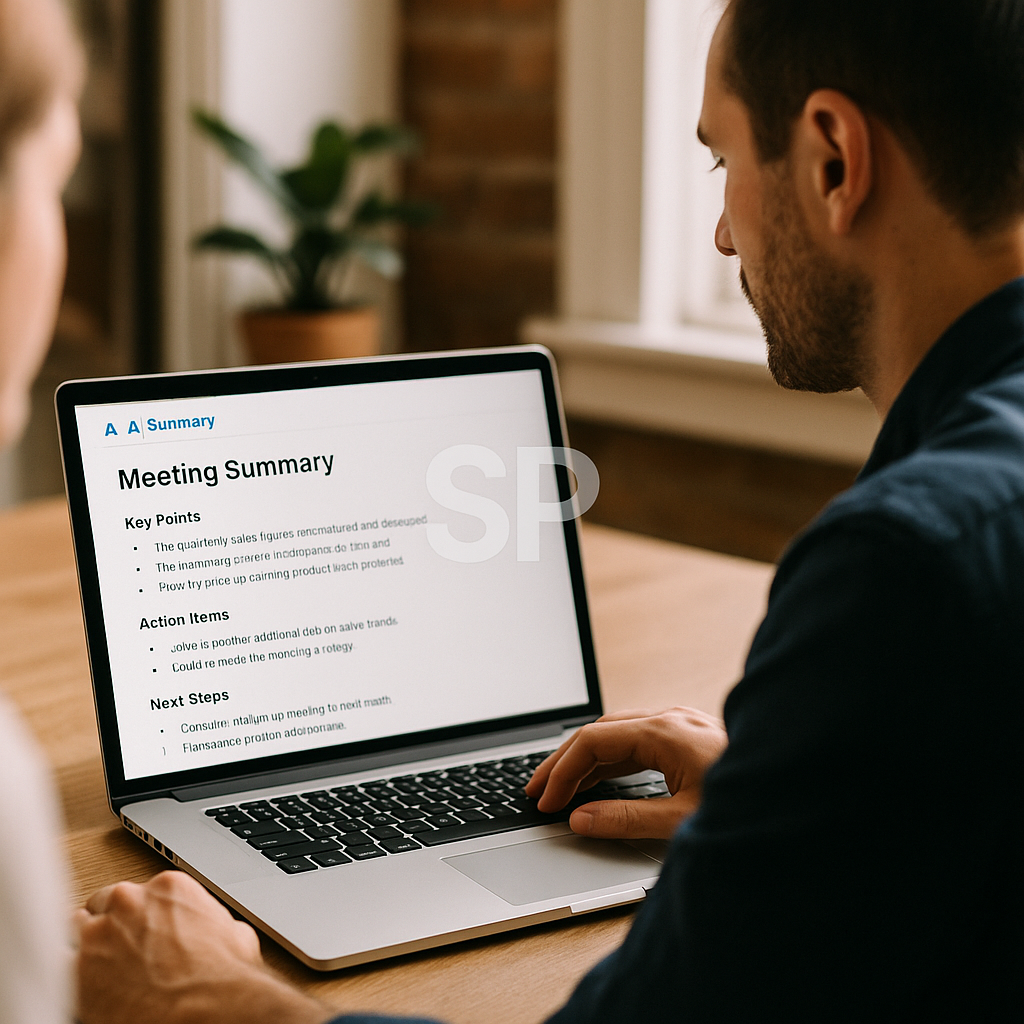
When meeting ends → auto-send summary + assign action items
These are tiny adjustments but their cumulative impact is massive. People who adopt trigger-based automation often say, “It feels like I hired an assistant who never gets tired.”

Of course, automation isn't about removing human decision-making. It's about preserving it for the work that matters. When you free yourself from routine maintenance, something interesting happens: your creative thinking improves, and your problem-solving becomes sharper. You stop reacting to your day and start intentionally shaping it. In fact, studies show workers who automate their repetitive tasks report higher job satisfaction, because automation removes the “mental clutter” that often leads to burnout.

But the most transformative benefit is that automation makes your workflow predictable. Predictability creates emotional stability, and stability creates consistency. And consistency—not motivation—is what builds long-term success. When your routine runs on rails, you no longer rely on willpower to maintain productivity. The system carries you.


If you're new to workflow automation, a good starting point is to map the top 10 tasks you repeat weekly. You’ll quickly notice patterns: similar email structures, repeated file names, recurring handoffs, identical data formatting. These patterns form the blueprint of your automation. And once you automate even 20–30% of them, your time frees up in ways that feel almost unfair.


But here’s the unexpected part: automation doesn’t just change your work… it changes how you think about work. You begin questioning old habits, noticing inefficiencies you once ignored, and designing your days with more intention. This mindset shift is the real upgrade. Tools help, but the routine you build around them—that’s what elevates your entire lifestyle.

If you’ve ever wondered, “Where is all my time going?” automation is the answer. And if you’ve ever wished your day felt lighter, smoother, or more spacious… automation is also the answer. Tell me—what part of your workflow feels the most chaotic right now? Your answer might be the perfect place to begin building your automated routine.

The interesting thing about workflow automation is that it rarely begins with technology—it begins with a feeling. A feeling that your workdays are slipping through your fingers, that tasks repeat without progress, or that you're constantly switching contexts without accomplishing the things that genuinely matter. Many professionals don’t realize this early stage is actually the perfect moment to build an automation-first system. Once you recognize the “noise” in your day, you're already halfway to designing a system that removes it.


A powerful concept in automation is the “event-to-outcome” chain. Instead of treating each task as a separate responsibility, you map how one action should naturally trigger the next step. Imagine completing a meeting and instantly seeing a summarized note, task assignments, a follow-up schedule, and a shared folder already created for the project. No cognitive switching, no writing summaries, no searching for files. The work flows forward without demanding emotional energy. This is where automation becomes more than convenience—it becomes a mental architecture that supports clarity.

Many users start small by automating transitions:

When a PDF is uploaded → rename automatically → store in the correct folder → notify the right person

When a lead fills out a form → create CRM entry → assign team → send intro email

When expenses are logged → categorize → update spreadsheet → generate monthly report

These micro-automations don’t look revolutionary on paper, but their emotional impact is enormous. Every manual step you remove eliminates a potential decision point, and research repeatedly shows that fewer decisions lead to higher focus, better problem-solving, and longer periods of sustained concentration.

Another overlooked benefit of workflow automation is how it builds personal operating systems. People often assume productivity tools are the system—but tools are just instruments. The system is the repeatable rhythm behind your day. For example, having AI rewrite meeting notes doesn’t matter unless those notes automatically sync into projects, trigger reminders, and resurface when relevant. True automation is not about single tasks; it’s about the continuity between tasks.

Workers who adopt robust workflows often describe a feeling of lightness, like their days have fewer sharp edges. They no longer scramble to remember deadlines or chase missing assets because the system “reminds” them at exactly the right moment. And once trust builds between you and your automated routine, your mental load decreases dramatically. This is one of the biggest, least discussed gifts of automation: emotional predictability.

You also begin to understand your own work patterns in a new way. Automation exposes the structure of your job by showing which tasks truly matter and which ones can be delegated to systems. You start noticing bottlenecks, unnecessary approvals, delayed handoffs, or inconsistent naming habits that slow projects down. Automation teaches you to design—not just operate—your workflow.

A compelling transformation happens after a few months of consistent automation:
people start gaining strategic thinking time.
This is the time you use to redesign processes, solve higher-level problems, learn new skills, or improve creative output. Work shifts from maintaining momentum to generating momentum. One marketing manager shared that automation freed enough weekly hours for him to experiment with A/B tests, which increased conversions by 18%—something he had wanted to try for two years but never had mental space for.

And although many people fear that automation will make their routines impersonal, the opposite often occurs. When the mechanical parts of your job run automatically, you have more space for genuine human interactions—thoughtful communication, creative ideation, mentoring teammates, or improving client experiences. Automation clears space for work that feels meaningful.

If you want to push automation further, consider integrating AI-driven decision layers. These don’t just execute rules; they evaluate conditions:

If email sentiment is urgent → notify immediately

If data spikes beyond threshold → adjust workflow route

If client behavior changes → trigger different follow-up flow
These dynamic workflows evolve with your needs, creating a system that grows more intelligent over time.

One of the most valuable exercises is conducting a workflow audit every quarter. Review what’s working, what feels heavy, and what automation can absorb next. Most people are surprised to learn that 40–60% of their weekly tasks contain repeatable logic. And once that logic is automated, your daily workload compresses into a leaner, more intentional version of itself.

In the long run, workflow automation builds something far more powerful than efficiency: it builds self-trust. Days stop feeling chaotic. Tasks stop falling through cracks. Your time becomes measurable, reliable, and aligned with actual priorities. The system supports you, not the other way around.

If you could automate just one part of your routine starting today, what would it be? That answer might reveal the exact point where your next breakthrough is waiting.



AI Productivity Tools: Transforming Workflows and Lifestyle with Smart Automation
In today’s fast-paced digital era, many professionals are constantly searching for ways to achieve more in less time. This is where AI Productivity Tools become game changers.


Unlike traditional apps that require manual input for every task, these tools actively learn, adapt, and optimize workflows. For anyone looking to improve daily routines or even redesign their entire work process, understanding how to implement these tools effectively can make the difference between average performance and peak efficiency.

When we talk about AI automation for work, the benefits are not just about speed. They are also about reducing cognitive load. Instead of spending hours on repetitive tasks like scheduling or file sorting, AI systems take over these functions so you can focus on decision-making and creativity. One common example is smart email filtering, which automatically prioritizes important messages while archiving irrelevant ones. Over time, this kind of automation builds a smoother workflow and reduces stress.

Another layer is lifestyle hacking with AI. People often think productivity only applies to professional life, but AI can optimize personal routines too. Imagine an AI-powered health app that not only tracks your sleep but also integrates with your calendar to suggest optimal bedtime. Or a meal planner that automatically generates shopping lists based on your weekly schedule. These examples show how AI Productivity Tools extend far beyond the office. They help craft a balanced lifestyle that combines efficiency with well-being.


At the core of this transformation are digital tools for efficiency. Traditional tools like spreadsheets or manual task trackers require constant updates from the user. By contrast, AI-driven platforms integrate with multiple services, updating themselves in real time. For instance, a project management tool powered by AI can track deadlines, predict delays, and even suggest resource allocation automatically. This makes efficiency not a one-time effort but a continuous process supported by intelligent systems.

Of course, none of this works without proper productivity routines with AI. Tools themselves don’t create change unless they are embedded into a daily routine. The most effective strategy is to start small: automate one recurring task at a time. Over weeks, expand automation into more areas until your entire workflow feels seamless. Personally, I began by automating my calendar invites, then moved into expense tracking, and eventually built a system where nearly half of my routine tasks are managed by AI. This consistency is what transforms occasional benefits into lasting productivity gains.


The bigger picture is smart workflow optimization. It’s not enough to simply install apps—you need to design workflows that connect them. For example, your note-taking app can integrate with your task manager, which in turn feeds into your calendar. With AI managing the connections, data moves smoothly between platforms without duplication. This prevents the “tool overload” problem that many digital workers face. By designing smart workflows, AI doesn’t just support your routine—it upgrades it.

Still, adopting AI Productivity Tools comes with challenges. Some people resist automation because they fear losing control, while others feel overwhelmed by too many options. The key is to experiment gradually, track the impact, and adjust as needed. Start with tools that solve your biggest pain points—like time tracking or team communication—then expand from there. The payoff is undeniable: less time wasted on repetitive tasks, more mental energy for creative and strategic work, and ultimately, a better work-life balance.

The future belongs to those who embrace AI automation for work not as a replacement but as an augmentation of human effort. When combined with lifestyle hacking with AI, these solutions don’t just improve efficiency—they redefine what productivity means in a digital-first world. With the right combination of digital tools for efficiency, structured productivity routines with AI, and intentional smart workflow optimization, individuals can achieve levels of output and clarity that were impossible just a few years ago.


So if you haven’t yet explored the potential of AI Productivity Tools, now is the time. Start with one tool, observe the changes, and gradually expand. Each step you take will not only save time but also free up mental space to focus on what truly matters—innovation, growth, and personal fulfillment. 🌍✨


AI Productivity Tools 2025: Automating Workflows and Lifestyle Routines
This morning, as I reviewed my task list, I noticed half the items were repetitive chores—emails, scheduling, reminders. It struck me again how much of our energy drains into tasks that don’t require creativity. That’s where AI productivity tools shine. In 2025, automation is no longer a futuristic luxury but a daily necessity. By building workflows that run themselves, we create more time for strategy, problem-solving, and even rest. Let’s explore how AI can simplify not just work but lifestyle routines as well.


The first breakthrough comes from task automation platforms. Tools like Zapier, Make, or Notion AI have become digital glue, linking apps that never used to talk to each other. Imagine receiving a new client inquiry: your CRM updates automatically, a Slack message notifies the team, and a project folder appears in your drive—without you lifting a finger. A small design agency in New York reported saving 10 hours a week just by automating client onboarding. Isn’t it remarkable how routine work can vanish almost invisibly?

Another key area is AI-driven writing and content generation. For freelancers, marketers, and students, drafting content consumes huge amounts of time. With AI tools like Jasper, Copy.ai, or ChatGPT-based integrations, first drafts appear in minutes. Instead of staring at blank screens, creators can refine, edit, and inject personal style. A marketing consultant shared how she doubled her client capacity by letting AI handle initial drafts, freeing her to focus on creative direction. That’s the essence of smart productivity: delegating the repeatable to technology.


AI also enhances time management. Traditional calendars merely display appointments. Now, AI assistants suggest optimal meeting times, reschedule conflicts, and even block focus hours based on your past behavior. One startup founder described his AI calendar as “a silent manager who anticipates my week better than I do.” With predictive scheduling, burnout risks drop, and routines feel less chaotic.

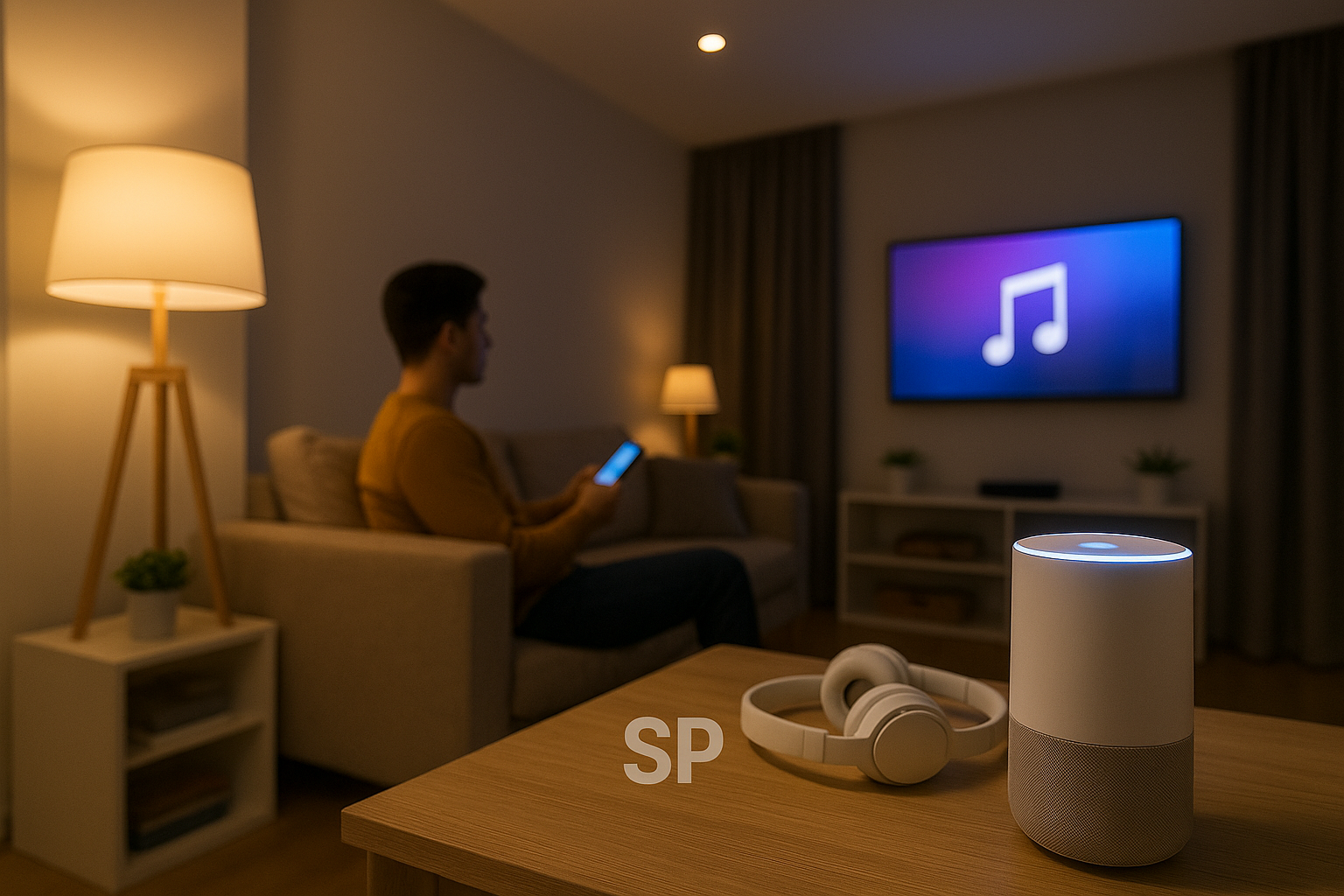
When it comes to lifestyle hacking, automation transforms personal routines too. Smart home devices manage lighting and energy use, fitness apps adjust workouts dynamically, and finance apps automatically categorize expenses. A remote worker in Tokyo programmed his system so that when he ends a work session, lights dim, calming music starts, and his expense tracker logs the day’s meals. By the time he closes his laptop, both his environment and finances are already managed. This blending of digital tools with daily life shows how automation is no longer confined to offices.

Of course, productivity isn’t just about speed. Data-driven reflection is another advantage. AI analytics platforms measure how you spend time across tasks, highlight bottlenecks, and recommend improvements. For example, if writing emails consumes 30% of your workweek, the system suggests templates or auto-replies. By making inefficiencies visible, AI builds routines that are both efficient and sustainable.


Yet, challenges exist. Privacy remains a concern. Automating workflows means giving tools access to sensitive data. Without transparency, risks grow. Savvy users now check which platforms allow full control of data deletion and encryption. As one analyst noted, “Productivity without security is just speed toward disaster.” Balancing convenience and trust becomes part of the modern automation routine.

🚀 Closing Thoughts
AI productivity tools in 2025 are more than gadgets—they’re extensions of our decision-making. By automating repetitive tasks, enhancing creativity, managing schedules, and blending with lifestyle habits, they free us to focus on what truly matters.

So, if you had to automate one routine today—work, home, or personal—what would it be? That single change might save you hours every week and reshape the way you live.

For many people, productivity tools are just another set of apps downloaded and forgotten after a few weeks. But when designed into daily routines, these tools transform from simple software into real lifestyle frameworks. In 2025, the conversation about AI productivity is shifting from “Which tool should I use?” to “How do I make these tools part of my life so they work without me noticing?”

One overlooked element is habit stacking with AI systems. Instead of treating automation as something separate, users now connect AI routines to existing habits. For instance, someone who already checks their calendar each morning can layer an AI assistant that automatically suggests the top three tasks for the day. A remote designer in Berlin explained that by combining her morning coffee with a quick AI-generated task summary, she started each day with clarity instead of stress. Small adjustments like this are what embed technology into real life.

Another dimension is cross-device continuity. Work rarely stays confined to one machine anymore. You might draft ideas on your phone, refine them on a laptop, and present them on a tablet. AI now ensures that transitions are seamless. Imagine finishing notes on your commute and having an AI tool instantly polish and format them before you even open your laptop at the office. This invisible flow reduces friction, letting you focus on substance rather than process. Isn’t that exactly what productivity should feel like?

Wellness integration is becoming part of the productivity conversation too. Old-school efficiency often ignored health, but AI tools now detect patterns of fatigue and suggest breaks. A startup founder in Singapore mentioned how his smartwatch AI nudges him to step outside when stress markers rise. At first, he resisted the interruptions, but over time he realized his afternoons were far more productive when he listened. In this way, AI is not just making people work harder—it’s helping them work sustainably.

Another area worth noting is financial micro-automation. Personal finance apps use AI to categorize spending, track subscriptions, and even optimize bill payments. Instead of budgeting being a dreaded monthly task, it becomes a background process. A freelancer in Toronto joked that his AI expense tracker is “like a silent accountant living in my pocket.” This blending of productivity and financial security illustrates how automation strengthens more than just professional output—it reshapes personal confidence.

Of course, challenges remain. Over-automation is real. Some users delegate so much that they lose touch with their own workflow. When a system breaks—an API error, a sync failure—they’re left scrambling. The lesson here is balance: automation should handle repetitive or data-heavy tasks while leaving space for human oversight. Experienced users recommend weekly reviews to ensure systems are aligned with evolving goals.


Looking ahead, the frontier is context-aware automation. Instead of static rules (“if this, then that”), AI will adjust routines based on context. For example, if your location data shows you’re traveling, your system might delay low-priority tasks and focus only on essentials. If your stress markers rise, notifications might reduce automatically. These adaptive systems promise a future where productivity feels more like a partnership than a command line.

✨ Closing Reflection
What’s clear is that AI productivity tools aren’t about working nonstop—they’re about creating balance, clarity, and resilience. When routines are well-designed, they fade into the background, leaving space for focus and creativity.

So, consider your own life: which routine drains the most time or energy? That might be the perfect candidate for AI automation. One small shift could change not only your workflow but also your quality of life.


AI Productivity Hacks: Smarter Workflows for a Balanced Life
This week has been packed with deadlines, and it reminded me how often people struggle to stay focused while juggling multiple tasks. In 2025, the reality is simple: traditional productivity tips aren’t enough anymore. What we need are smarter tools. That’s where AI productivity hacks come into play. Instead of just working harder, these hacks help us work more strategically, freeing time for creativity, rest, and even joy.


Automating Repetitive Tasks

One of the easiest AI productivity hacks is automating tasks you repeat every day. Think about scheduling meetings, drafting emails, or formatting reports. With AI assistants, those tasks are no longer manual. I tested this by letting an AI tool manage my calendar invites—it instantly removed hours of back-and-forth emails each month.

Smarter Note-Taking and Summaries

Gone are the days of frantically typing during meetings. AI tools now record, transcribe, and summarize discussions in real time. That means you can stay engaged without worrying about missing details. A friend who runs a remote team said this single hack saved him nearly five hours weekly.

Personalized Workflows

The beauty of AI is personalization. Instead of generic advice, you get suggestions tailored to your habits. If you tend to check emails late at night, your assistant might nudge you to batch them in the morning. These nudges feel small but compound into healthier routines. Over weeks, your digital life feels lighter and more intentional.


Integrating AI into Creative Work

Many still believe AI only works for data-heavy tasks, but it’s increasingly supporting creative workflows. Writers use it for brainstorming, designers for generating variations, and marketers for testing campaign ideas. Think of AI not as a replacement but as a brainstorming partner that never gets tired.

Real-Life Stories

A remote worker I know struggled with constant context switching—jumping between tasks all day. After adopting AI productivity hacks, he used an AI app to schedule deep work blocks. The result? His daily output doubled, but he finished earlier and felt less drained.

Another example: a student preparing for exams used AI to create customized study guides from lecture notes. Instead of endless highlighting, she spent time actually learning.

Things to Keep in Mind

Of course, no hack is perfect. Over-relying on automation can make you passive. It’s important to strike a balance: let AI handle the repetitive, while you focus on judgment, strategy, and human connection.

Final Thoughts

The real magic of AI productivity hacks isn’t about doing more in less time—it’s about designing a workflow that feels sustainable. By automating the boring, personalizing your habits, and freeing energy for meaningful work, you reclaim your day. And when work feels lighter, life outside of it grows richer too. 🌍⚡
The other day I found myself staring at my to-do list, wondering how it had gotten so long. That’s when I realized: it’s not about how much work I have, but how I manage it. And that’s exactly where AI productivity hacks shine. They don’t erase responsibilities, but they transform how we approach them.


One underrated aspect of these tools is the way they reduce mental clutter. When your AI assistant automatically categorizes emails, reminds you of deadlines, or even summarizes yesterday’s notes, you no longer waste precious focus switching contexts. That shift is subtle but powerful. Many nomads and remote workers I’ve spoken with say that this single change has been the difference between finishing on time and burning out.

Another benefit is adaptability. Unlike rigid productivity systems, AI apps evolve with you. Let’s say you’re prone to procrastination on Monday mornings. After a few weeks, the app recognizes this trend and suggests starting the week with smaller, easier tasks. Over time, these personalized nudges build healthier patterns. It’s like having a coach who quietly adjusts your routine in the background.

I’ve also noticed how AI integrates into daily living, not just work. A friend of mine uses an AI journaling app that highlights recurring moods tied to workload. When he noticed his stress peaked every Thursday, he shifted big projects to earlier in the week. That insight didn’t just save his deadlines—it improved his well-being. This shows how AI productivity hacks are less about squeezing in extra tasks and more about aligning work with energy levels.


Still, there are limits. Some people fall into the trap of letting AI do everything and lose touch with the “why” behind their work. Balance is key. Automation should clear the noise, not replace intention. You still need to decide which goals matter most. AI won’t tell you what fulfills you—it just gives you more time to find out.

What stands out most is how small actions compound. Automating a single recurring task may save five minutes a day, but over a year, that’s days of reclaimed time. Add in smarter scheduling, habit nudges, and creative support, and suddenly you’ve freed enough energy to start that side project or simply rest without guilt.

💡 A closing thought: Productivity isn’t about cramming more into your hours—it’s about reclaiming hours for what matters. If you experiment with even one AI hack this week, pay attention not just to your output, but to how you feel. Chances are, the biggest gift won’t be efficiency, but the sense of breathing room you create for yourself.


Excel Functions List: Lookup, Text, Date, Financial, and Logical Functions Explained
Hello everyone 📊✨ If you’ve ever felt overwhelmed by the sheer number of formulas available in Excel, you’re not alone. Mastering an Excel functions list is one of the fastest ways to boost productivity and automate repetitive tasks. From searching data to manipulating text, calculating dates, handling finances, or making logical comparisons, Excel has a function for almost everything. Today, we’ll break down essential categories like Excel lookup functions, Excel text functions, Excel date functions, Excel financial functions, and Excel logical functions so you can build a strong foundation.


1. Excel Lookup Functions for Data Retrieval

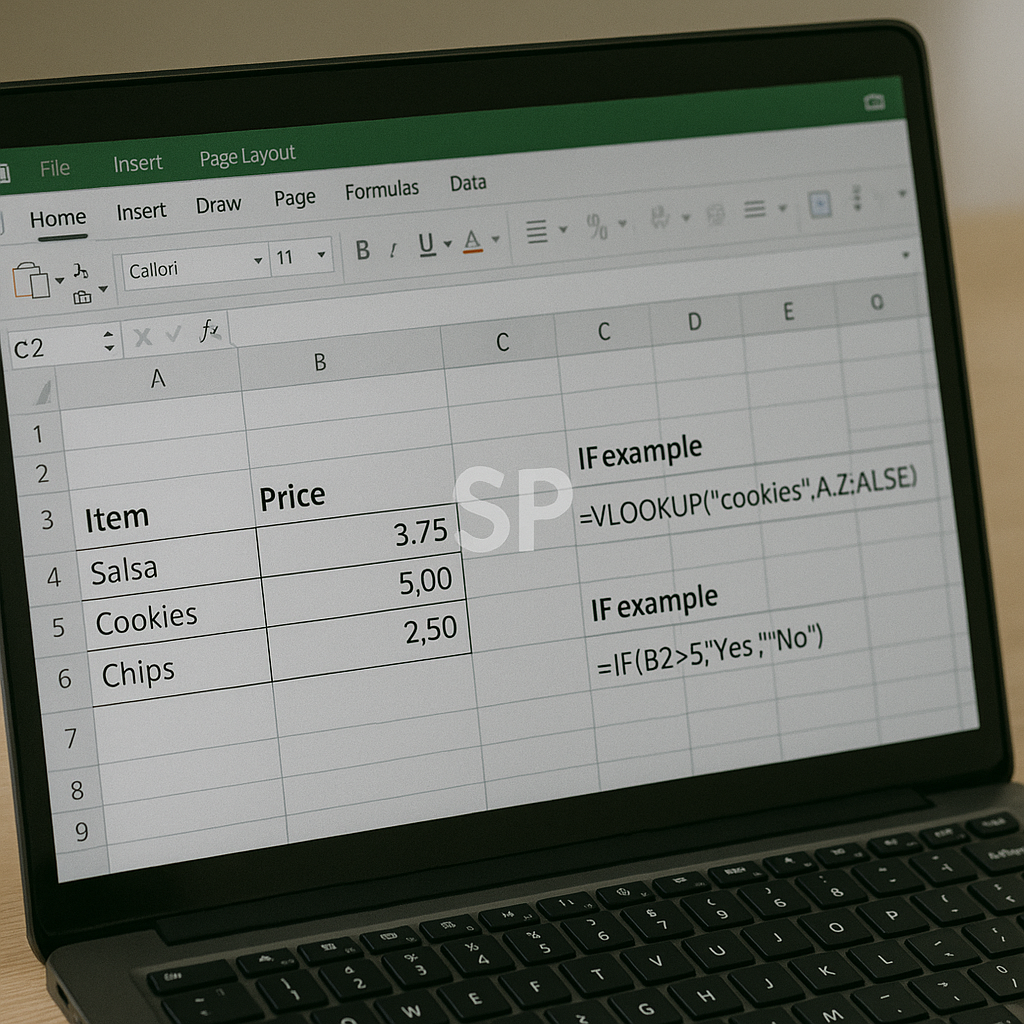
At the core of the Excel functions list are lookup functions. Excel lookup functions like VLOOKUP, HLOOKUP, INDEX, and MATCH help you search through tables and return specific values. For instance, VLOOKUP can find a product price by matching an ID, while INDEX+MATCH provides more flexibility when dealing with large datasets.

2. Excel Text Functions for Cleaning Data

Working with messy data? That’s where Excel text functions shine. Functions like LEFT, RIGHT, MID, TRIM, and CONCATENATE (or TEXTJOIN) allow you to extract, clean, and combine text values. A common example: using TRIM to remove unwanted spaces before running analytics. With these tools, data preparation becomes quicker and more reliable.

3. Excel Date Functions for Scheduling

Time management is crucial, and Excel date functions simplify calculations involving time. TODAY, NOW, EOMONTH, and DATEDIF help calculate deadlines, monthly reports, or the age of entries. For example, EOMONTH is ideal for forecasting end-of-month balances, while DATEDIF can quickly calculate someone’s tenure in years, months, and days.


4. Excel Financial Functions for Planning

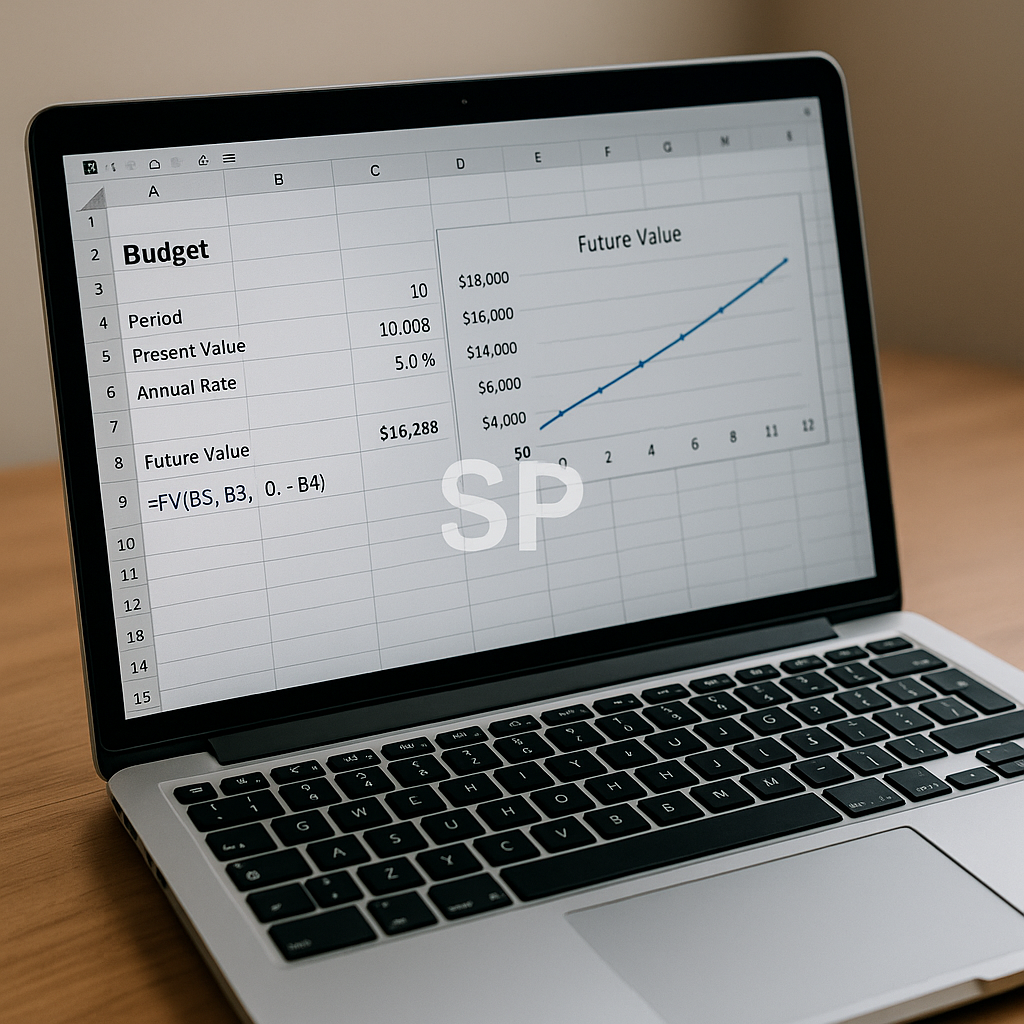
If you’re working with budgets or investments, Excel financial functions are indispensable. PMT calculates monthly loan payments, NPV evaluates investment profitability, and FV projects future savings. These functions turn Excel into a financial planning assistant, making it possible to test scenarios and prepare more accurate reports.

5. Excel Logical Functions for Smarter Analysis

Finally, Excel logical functions help automate decision-making. IF is the most famous example, but combining it with AND, OR, and NOT expands its power. For instance, you can flag overdue invoices automatically or highlight sales targets achieved. Logical formulas form the backbone of conditional formatting and automated reporting systems.

Bonus Tip: Combine Functions for Efficiency

The real magic happens when you combine multiple categories from the Excel functions list. For example, combining IF (logical) with VLOOKUP (lookup) and TODAY (date) can instantly tell you whether a customer’s contract has expired and pull the relevant contact details. This synergy is where Excel becomes a true automation tool.

Once you’ve mastered the basics of the Excel functions list, the next step is learning how to apply these formulas in real-world situations. It’s one thing to know what a function does, but it’s another to combine them strategically for business insights, reporting, and automation.


One of the most common use cases involves Excel lookup functions. For example, sales teams often maintain large product catalogs. By combining VLOOKUP with IFERROR, you can quickly return accurate product prices while avoiding errors when an item isn’t found. INDEX and MATCH are also crucial when working with dynamic tables, as they adapt easily to changes in column order.

Meanwhile, Excel text functions play a critical role in cleaning and preparing data. Consider a mailing list where customer names are inconsistently formatted. By using PROPER to capitalize correctly, TRIM to remove extra spaces, and CONCATENATE (or TEXTJOIN) to merge first and last names, you create a polished database ready for professional use. These small details dramatically improve accuracy in marketing campaigns.

Time-based reporting is another area where Excel date functions excel. HR teams, for example, often calculate employee tenure or retirement eligibility. DATEDIF gives exact years and months of service, while TODAY ensures the calculation is always up to date. Finance departments often rely on EOMONTH to prepare monthly closing reports, ensuring consistency in deadlines and forecasting.

For financial modeling, Excel financial functions are indispensable. PMT helps you plan mortgage payments, NPV and IRR guide investment decisions, and FV projects long-term savings growth. By embedding these functions into templates, companies can simulate different scenarios and support decision-making with data-driven insights. Even individuals benefit from this knowledge when managing personal loans or retirement accounts.

Finally, Excel logical functions form the backbone of intelligent reporting. An IF formula can categorize sales performance into “Above Target” or “Below Target.” Combining AND and OR allows for more nuanced rules, like flagging employees who meet multiple performance criteria. These logical checks automate repetitive tasks, reducing manual review time and minimizing errors.


The real strength of the Excel functions list lies in integration. For instance, you might use a VLOOKUP (lookup) to find a client’s billing date, a TODAY (date) function to calculate overdue days, and an IF (logical) statement to highlight accounts requiring follow-up. Adding a TEXT function ensures the output is formatted in a professional way. By chaining functions together, you turn Excel into a lightweight but powerful automation system.

Mastering these categories—Excel lookup functions, Excel text functions, Excel date functions, Excel financial functions, and Excel logical functions—creates a toolkit that transforms how you work. Whether you’re in finance, marketing, HR, or operations, a well-practiced command of the Excel functions list saves time, reduces stress, and builds confidence in your data analysis.


AI Automation Tools for Productivity: How to Streamline Workflows in 2025
Have you ever felt overwhelmed by endless repetitive tasks—emails, scheduling, data entry—that take up most of your day? With the rise of AI automation tools for productivity, professionals can finally shift their focus from tedious tasks to meaningful work. In 2025, these tools are not just nice-to-have add-ons; they are essential elements of every smart workflow.


Why AI Automation Tools Matter

The workplace has changed dramatically. Remote work, global collaboration, and digital-first business models have increased the volume of tasks that must be managed daily. Without automation, employees risk burnout and inefficiency. AI tools reduce this burden by:

Automating repetitive tasks like calendar updates, file organization, or customer responses.

Enhancing decision-making by analyzing large datasets quickly.

Creating consistency across teams by standardizing processes.

In short, they save time, reduce errors, and make businesses more agile.

Key Use Cases of AI Automation Tools


Email and Communication
Tools like Superhuman or AI-powered Gmail filters prioritize important messages, draft responses, and reduce inbox clutter.

Project Management
Platforms such as Notion AI and Asana integrate AI to generate task lists, summarize updates, and predict project delays.

Data Entry and Processing
Zapier, Make (formerly Integromat), and Microsoft Power Automate handle integrations between apps, eliminating manual copying and pasting.

Customer Support
Chatbots like Intercom or Drift provide instant replies, escalate complex issues, and collect customer feedback automatically.

Content Creation
Jasper, Copy.ai, and other AI writing tools help marketers draft blogs, social posts, and ad copy—cutting production time dramatically.

Mistakes to Avoid

Many companies rush into automation without clear goals. This leads to:

Over-automation: Too many bots can overwhelm users and create confusion.

Lack of oversight: Automation without human review risks sending incorrect messages or data.

Ignoring ROI: Automating tasks that don’t significantly impact time or cost can waste resources.

A smarter approach is to identify bottlenecks first and automate tasks that save the most time or generate the most value.

Bonus Tip: Combining Tools for End-to-End Workflows

Instead of using a single tool in isolation, connect multiple platforms:

Collect leads with chatbots.

Sync them automatically into a CRM via Zapier.

Trigger personalized emails through an AI-driven marketing tool.

This “stacking” approach creates a seamless end-to-end system that works while you sleep.

The Future of AI Automation Tools for Productivity

Looking ahead, automation will become more predictive and personalized. Tools will not just execute commands but anticipate needs:

Noticing you spend too much time on emails and suggesting batch-processing routines.

Analyzing team workloads and reallocating tasks proactively.

Offering context-based recommendations, like “You have a meeting with a client—here’s a draft proposal based on their history.”

As AI models get smarter, they will function less like assistants and more like co-pilots.


Final Thoughts

AI automation tools for productivity are no longer optional. For freelancers, startups, and global enterprises alike, they are the backbone of efficient workflows. By implementing them wisely, professionals can save hours each week, reduce stress, and focus on strategic goals.

In 2025, the companies and individuals who embrace automation will not only survive the digital age but thrive in it. 🚀

In recent years, the explosion of AI automation tools for productivity has reshaped how professionals, freelancers, and businesses manage their daily routines. What was once seen as an optional upgrade has now become a necessity for staying competitive in the digital workplace.

Why AI Automation Is Becoming Essential

The digital economy is faster and more demanding than ever. Teams spread across time zones, clients expecting instant replies, and the pressure to deliver results quickly all require new ways of working. AI automation provides that edge by cutting down repetitive work and freeing up valuable mental bandwidth.

Unlike traditional software, AI tools are not limited to fixed rules—they learn patterns, adapt to user behavior, and provide recommendations that improve over time. Whether you’re handling emails, generating reports, or analyzing customer data, automation can now handle tasks that used to consume hours.

Practical Examples of AI Productivity Tools

Smart Scheduling
Tools like Motion and Reclaim AI automatically rearrange calendars based on changing priorities, ensuring deadlines are met without micromanagement.

Workflow Automation Platforms
Zapier and Make integrate dozens of apps so that a completed form on a website instantly creates a CRM record, sends an email, and logs the data in a spreadsheet—without human involvement.

Document Management
AI-powered systems like DocuSign Intelligent Insights analyze contracts for risks, while Notion AI helps draft meeting notes or summarize long documents in seconds.

Marketing and Content Creation
Jasper, Copy.ai, and Writesonic speed up blog writing, ad copy creation, and social media planning while maintaining brand voice consistency.

Finance and Operations
Automation tools can track expenses, flag anomalies, and prepare monthly summaries—tasks that previously required an entire department.

Challenges and Missteps to Watch Out For

Over-reliance on automation: Blindly trusting tools without review can lead to mistakes that harm client trust.

Too many overlapping tools: Using five platforms with similar features wastes money and complicates workflows.

Ignoring security: Automating sensitive data without proper encryption or compliance checks creates risks.

The key is not to automate everything, but to automate wisely. Identify bottlenecks that consume the most time and focus there first.


Bonus Tip: Building an Automation Routine

Instead of treating automation as a one-time project, make it a habit.

Start by automating a simple daily task (e.g., scheduling emails).

Gradually move to weekly and monthly tasks (e.g., financial reports).

Review quarterly to see if the automation is still relevant or if it needs updating.

This incremental approach avoids overwhelm and ensures long-term efficiency gains.

The Future of Productivity with AI Automation

Looking ahead, AI will not only execute commands but anticipate them. Imagine tools that warn you before you miss a deadline, or that draft an entire client proposal based on past projects. This predictive capability will make AI automation less like a tool and more like a partner.

For remote workers and digital nomads, this evolution is especially powerful. Instead of juggling multiple apps while traveling, integrated automation can handle communication, task tracking, and billing in the background—allowing you to focus on creativity and strategy.

Final Thoughts

The rise of AI automation tools for productivity is more than a trend—it’s a revolution in how we think about work. By combining the right tools, avoiding common mistakes, and developing a habit of continuous automation, professionals can reclaim hours each week and direct them toward high-value activities.

In the coming years, those who embrace automation will not just work faster, but smarter—and that difference will define success in the digital age.


Work Automation Tools: Redesigning Productivity in the AI Era
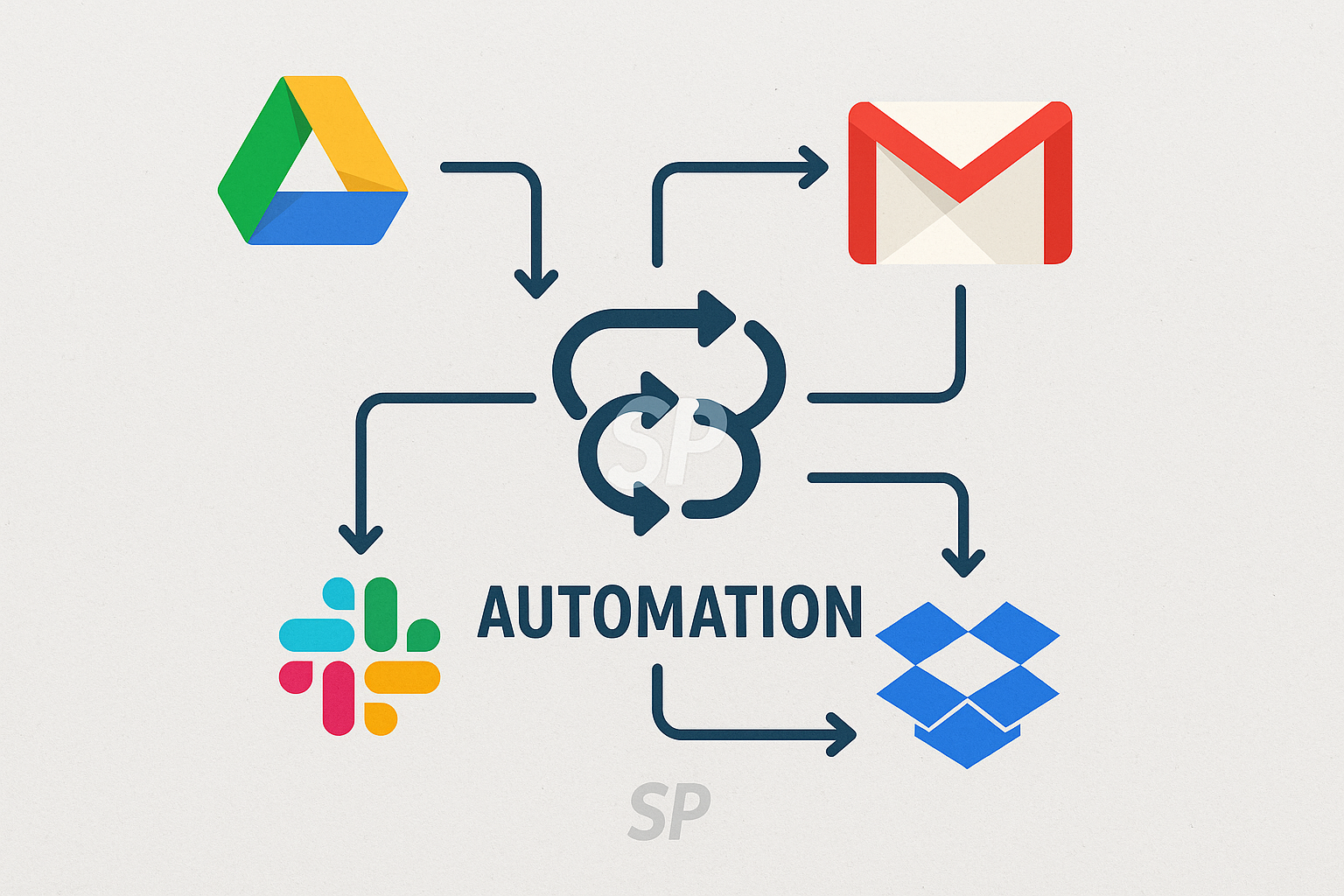
Back in the day, office workers spent hours sorting emails, updating spreadsheets, and scheduling meetings manually. Today, with work automation tools, much of this can be done in seconds. The AI era is changing not just how we work but how we think about work itself. I remember the first time I set up a simple automation that moved email attachments directly into Google Drive — it felt like magic. What used to take an hour now takes zero effort.


The biggest advantage of automation tools is efficiency. Repetitive tasks like data entry, file transfers, or notifications are handled instantly, leaving more time for creative work. Many companies now save thousands of work hours annually just by adopting simple workflows.

A common question is: “Do I need coding skills to use automation tools?” Absolutely not. No-code platforms like Zapier, Make, and Notion integrations allow anyone to build workflows. A marketing manager I know used Zapier to link her CRM with Slack and Trello, cutting coordination emails by 70%.

Failure stories remind us that automation without planning can backfire. One business automated invoice sending but forgot to include error checks, resulting in dozens of incorrect bills. Customers were frustrated, and trust was damaged. The lesson: automation requires strategy, not just enthusiasm.


A bonus tip is to start small. Automate one task you do daily, like scheduling social media posts or backing up files. Once you see the benefits, expand gradually. This way, automation grows with you rather than overwhelming you.

Another overlooked benefit of automation tools is stress reduction. By removing mental clutter from repetitive tasks, workers experience less burnout. A friend who runs a small design agency said automation gave her “mental space to think big again.” That’s the hidden value of automation — it gives you back your focus.

Looking ahead, AI-powered tools are taking automation further. Instead of just executing rules, they now predict needs, suggest workflows, and adapt dynamically. Imagine tools that not only send reminders but also draft responses based on your habits.


Ultimately, work automation tools are not about replacing humans but about empowering them. By letting machines handle the repetitive, people can focus on creativity, strategy, and human connection — the parts of work that truly matter 🌍💡.

Many people start exploring work automation tools because they want to save time. But over time, the real value becomes clear: automation is about redesigning routines and shaping a smarter way of living. Instead of seeing automation as just a productivity hack, think of it as a mindset shift.

One common mistake is overcomplicating the system too quickly. New users often build dozens of workflows, only to forget how they work. A failure story I recall involved a team that automated every Slack notification possible. Instead of clarity, the constant pings overwhelmed them. Eventually, they disabled everything and lost trust in the process. The lesson? Simplicity scales better. Start with essential automations and grow gradually.


Another overlooked area is integration. Many workers use separate apps for emails, scheduling, and project management. Without integration, automation only goes halfway. By linking platforms — for example, connecting Gmail, Google Calendar, and task managers — you create a smooth ecosystem. A bonus tip is to audit your tool stack regularly. Fewer apps mean fewer chances for error.

Work automation is also about balance. If every task is automated, humans risk disconnecting from meaningful work. A friend once joked that his workflows were so automated he barely checked them — until he missed an important client message. Automation should support awareness, not replace it. That’s why scheduled reviews, weekly or monthly, are essential.

Many ask: “What jobs benefit most from automation?” The truth is, almost all industries do. Designers automate file storage and feedback collection, marketers automate social posts and reports, and freelancers automate invoicing. What matters is tailoring tools to your workflow instead of copying others blindly.


Looking at the future, AI will push automation beyond simple “if-this-then-that” rules. Already, tools can analyze behavior and recommend smarter flows. Imagine a system that notices you spend too much time on emails and automatically suggests batching strategies. This predictive capacity is the next evolution.

Work automation tools are not about replacing creativity but unlocking it. By taking routine tasks off your plate, they free mental space for problem-solving and innovation. Over time, this shift creates not only more productive professionals but also more balanced lifestyles. And that, ultimately, is the deeper promise of automation 🌐⚡.


AI Automation Tools for Work Efficiency: How to Save Time and Boost Productivity
Every day, professionals juggle countless repetitive tasks — from sorting emails to updating spreadsheets. Have you ever felt your valuable hours slipping away on work that doesn’t really require human creativity? I’ve been there too, staring at a long to-do list and wondering why my time disappears so quickly 😅. That’s where AI automation tools completely change the game. Instead of wasting energy on routine processes, you can set up smart workflows that handle them automatically, freeing you to focus on higher-value work.


One of the biggest advantages of AI automation is how quickly it integrates into daily routines. For example, tools like Zapier or Make (formerly Integromat) allow you to connect apps you already use. Imagine new emails in Gmail instantly logging into Google Sheets, or Slack messages triggering reminders on your calendar. At first, it might sound complicated, but the setup is surprisingly simple — drag, drop, and link apps together. Once you try it, you’ll wonder why you didn’t start sooner.

People often ask, “Do I need to know programming to use AI automation?” The answer is no. Most modern platforms are designed for non-technical users. Templates, drag-and-drop editors, and ready-made workflows make it easy. In fact, many small business owners who’ve never coded in their life are now automating customer service, marketing emails, and even invoice generation with just a few clicks.

Still, mistakes happen if you rush in without a plan. I once created an automation that copied files between two drives — but I forgot to set conditions. Within a day, I had thousands of duplicate files eating up storage. It was frustrating, but also a good reminder: always test on a small scale before rolling out large workflows. That small habit saves both time and headaches.

A bonus insight here is that AI automation doesn’t just save time; it improves accuracy. Humans get tired and overlook details, but automated workflows run the same way every time. For instance, an e-commerce seller I know reduced refund errors by 90% after automating the return approval process. Instead of manually checking every request, the system now flags only the exceptions. Less human error, happier customers, better reviews — all thanks to automation.


AI automation also links directly to personal productivity. By removing repetitive mental clutter, you free up cognitive energy. Think of it like decluttering your desk: once the unnecessary items are gone, your focus sharpens. The same applies digitally. When AI tools quietly manage background tasks, your brain gets more space for problem-solving and creative thinking.

Before wrapping up, let me leave you with one tip: start small. Don’t try to automate your entire workflow in one go. Pick one routine task that frustrates you most — maybe scheduling, maybe reporting — and automate that first. Once you see results, you’ll naturally expand step by step. That way, automation grows with you instead of overwhelming you.

In the end, AI automation tools are not just about technology. They’re about redesigning how we use our limited time. With the right setup, you can transform hours of repetitive work into minutes of automated flow, giving you more energy for things that truly matter in both work and life. 🌍✨

When I first started exploring AI automation, I assumed it would only benefit big companies with large budgets. But over time, I realized that even individual freelancers and small teams can see dramatic results. A solo content creator, for example, can set up an automation that drafts social media posts, resizes images, and uploads them at scheduled times. That workflow, once done manually, used to take hours every week. Now it runs in the background with barely any attention.


Another key advantage lies in decision-making speed. With AI-driven reports automatically generated from raw data, managers no longer need to spend late nights building slides. The system collects, organizes, and visualizes data in real time. This not only saves time but also allows leaders to make quicker and more confident choices. I personally remember how frustrating it was to spend two full days preparing a monthly performance report. After switching to automated dashboards, that work dropped to less than an hour. The mental relief was just as valuable as the time saved.

There are, of course, challenges to adopting automation. One common issue is tool overload. With so many platforms available, it’s tempting to sign up for multiple services at once. But without integration, you end up duplicating effort. A better strategy is to choose two or three core tools that align with your work environment. For example, if your company already uses Google Workspace, starting with Google Apps Script or Zapier integrations makes sense. Expanding later is easier once the foundation is stable.

Skepticism is also natural. Some colleagues might worry, “Will automation replace my job?” In reality, automation usually replaces repetitive tasks, not entire roles. In fact, employees who adopt automation often become more valuable because they focus on strategy, problem-solving, and creativity. Think of it like calculators: they didn’t eliminate accountants but instead allowed them to work on deeper financial analysis.

One piece of advice that helped me is to celebrate small wins. After automating just a single routine task, track how many minutes it saves daily. Multiply that by weeks and months, and you’ll see the real impact. This visible proof builds motivation and helps persuade skeptical team members. A designer I know resisted automation at first, but after seeing her reporting time drop by 70%, she became the strongest advocate in her office.


The truth is, automation doesn’t eliminate mistakes entirely, but it changes the type of mistakes. Instead of human oversight, the main risks are poor design or misconfigured triggers. That’s why regular reviews matter. Setting a monthly reminder to audit your workflows ensures that automations remain accurate and aligned with your evolving needs. It’s like checking the oil in your car — maintenance keeps everything running smoothly.

Finally, the future of AI automation is about personalization. As tools evolve, they learn user preferences, predict actions, and even suggest better workflows. Imagine logging in on a Monday morning and your system already presenting a prioritized to-do list, with recurring tasks handled automatically. This isn’t science fiction anymore; it’s slowly becoming reality.

So if you’ve been on the fence, take this as encouragement. You don’t need to master every tool right away. Start with the simplest automation in your daily routine, enjoy the benefits, and expand gradually. Over time, AI automation won’t just save you hours; it will reshape how you think about productivity, work-life balance, and even creativity itself. And perhaps the best part? Once you see how much time you get back, you’ll realize how valuable your focus and energy truly are. 🌟


AI Productivity Routines for Freelancers 2025: Smarter Workflows for Independent Careers
Hello everyone, how are you today? 🌍 In 2025, freelancing has become more than just a career choice—it’s a lifestyle. With flexibility and independence comes responsibility, and many freelancers struggle with managing tasks, deadlines, and personal routines. Artificial Intelligence has stepped in as a powerful ally, offering tools and strategies that help freelancers not just stay afloat but thrive. AI productivity routines are no longer about flashy tech; they’re about building smarter workflows that make independent careers sustainable.


Automating repetitive tasks

Freelancers often juggle multiple clients and projects. AI-powered tools now handle repetitive tasks like invoicing, scheduling, and basic communication. By automating these processes, freelancers save hours each week that can be reinvested into creative or billable work.

👉 Example: A freelance designer uses AI to generate draft invoices and schedule follow-ups, freeing time to focus on design.

Personalized productivity rhythms

AI apps now analyze working patterns to recommend when to focus and when to rest. Instead of forcing a strict 9-to-5 schedule, freelancers can align work with their natural energy cycles. This personalization boosts both efficiency and well-being.

Smarter client communication

AI tools summarize long client emails, suggest professional responses, and even translate messages in real time. This ensures that freelancers maintain professionalism without spending excessive time drafting emails or clarifying details.

Data-driven project planning

AI systems help freelancers predict how long tasks will take based on past performance. This reduces the risk of overcommitting and allows more accurate project proposals. Clear planning improves client trust and reduces stress.

Wellness integration

Freelancing can blur the line between work and rest. AI productivity routines now include wellness prompts—reminders to stretch, drink water, or log off after a long day. These nudges help freelancers protect their health while staying productive.

AI productivity routines for freelancers in 2025 are about balance: automating what doesn’t need human creativity, personalizing workflows, and protecting both income and health. By embracing these routines, freelancers can enjoy the freedom of independent work without the chaos. 🚀

Freelancing in 2025 is both exciting and demanding. The freedom to choose clients, projects, and schedules comes with the challenge of managing time, energy, and income without the structure of a traditional workplace. Many freelancers describe their careers as a constant balancing act—too many deadlines at once or, conversely, unpredictable gaps between projects. This is where AI productivity routines become invaluable. They don’t replace creativity or client relationships but instead provide the scaffolding that helps freelancers stay consistent and sustainable.


One of the biggest struggles freelancers face is repetitive administration. Drafting invoices, scheduling calls, sending reminders, and tracking expenses can consume hours every week. With AI-powered tools, these processes are now streamlined. Invoices can be generated automatically based on project logs, and follow-up reminders are scheduled without manual effort. For many independent workers, this automation feels like gaining a personal assistant at a fraction of the cost. The relief of offloading these tasks often translates into more creative energy for actual client work.

AI also enhances how freelancers understand their own working patterns. Unlike employees who follow standard office hours, freelancers often work in bursts of productivity at odd times. Some might do their best work late at night, while others are most efficient early in the morning. AI productivity apps now monitor typing speed, focus sessions, and even biometric signals from wearables to recommend when to dive into complex work and when to rest. This personalization has helped many freelancers avoid burnout, showing them that working with their natural rhythms is more sustainable than forcing rigid schedules.

Client communication, a crucial part of freelancing, has also been improved through AI. Long client emails can be condensed into clear summaries, saving time and mental energy. Draft responses are suggested based on tone and past interactions, allowing freelancers to maintain professionalism even when juggling multiple clients. Real-time translation features further expand opportunities, letting freelancers collaborate globally without language barriers. For many, these tools mean fewer misunderstandings and stronger relationships with clients.

Another area where AI productivity routines shine is in project planning. Many freelancers have struggled with overcommitting because they underestimated how long tasks would take. AI tools now analyze past projects and provide realistic time estimates, making it easier to negotiate deadlines and set accurate expectations. This transparency improves trust with clients and reduces the stress of constantly working against impossible timelines.


Well-being is perhaps the most underrated aspect of productivity. Freelancers often blur the line between work and personal life, leading to exhaustion. AI productivity routines now include wellness features—reminders to take breaks, stretch, hydrate, or log off at the end of the day. These nudges may seem small, but they reinforce healthy habits that freelancers might otherwise neglect. Over time, they create a work-life rhythm that protects both physical health and long-term career sustainability.

What makes these routines especially powerful in 2025 is accessibility. A few years ago, advanced AI tools were reserved for larger companies with big budgets. Now, affordable subscriptions and freemium models mean that even solo freelancers can access sophisticated AI-driven insights. Whether it’s through mobile apps, browser extensions, or integrated platforms, AI has become part of the everyday freelance toolkit.

In the end, AI productivity routines for freelancers in 2025 are not about working faster for the sake of speed—they’re about working smarter, more sustainably, and with greater clarity. They automate repetitive tasks, personalize workflows, strengthen client communication, and protect wellness. For freelancers navigating the unpredictable world of independent work, these routines don’t just support productivity—they support peace of mind. 🌍💻


AI Productivity Hacks for Remote Workers 2025: Smarter Routines for a Digital Lifestyle
Hello everyone, how are you today? 💻 Remote work has transformed from an emergency solution into a long-term reality, and in 2025 it continues to evolve. Many remote professionals now realize that simply working from home is not enough; staying productive requires a combination of the right tools and smart routines. Artificial intelligence is no longer just a buzzword—it’s a daily assistant that can streamline tasks, improve focus, and create balance in the digital lifestyle.


The question for many workers is no longer “Should I use AI?” but rather “How can I use AI more effectively?” In this post, we’ll explore practical AI productivity hacks designed specifically for remote workers who want to thrive in 2025.

Automating repetitive tasks

Repetitive work drains time and energy. AI-powered tools now automate everything from scheduling meetings to drafting first versions of emails. Instead of wasting mental bandwidth on logistics, you can redirect your focus to deep work.

👉 Example: One freelancer reported saving five hours weekly by letting AI handle invoice generation and calendar management.

Personalized focus techniques

AI productivity apps now track working patterns to suggest customized focus routines. Some recommend when to take breaks, while others adjust notifications to minimize distractions. By learning your habits, AI helps you find your natural productivity rhythm.

Smarter project collaboration

Working across time zones has always been a challenge for remote teams. AI-driven collaboration platforms summarize conversations, highlight action items, and even translate discussions in real time. This ensures that no detail gets lost and projects move forward smoothly.


Health and lifestyle integration

Productivity is not only about work. AI health apps now integrate with work routines, reminding you to stretch, drink water, or take short walks. By blending wellness with productivity, AI prevents burnout and supports long-term efficiency.

Predictive analytics for workload planning

AI tools analyze past projects to estimate how long new tasks will take. By predicting workload, they help remote workers avoid overcommitment and set realistic deadlines. This foresight creates a healthier balance between productivity and rest.

AI productivity hacks for remote workers in 2025 are not about working harder but working smarter. By automating routine tasks, personalizing focus strategies, enhancing collaboration, and supporting well-being, AI turns remote work into a more sustainable lifestyle. The digital future is not just about being online—it’s about being intentional with every moment. 🚀

Remote work in 2025 is no longer an exception—it is a norm embraced by companies of every size. Yet while flexibility and independence are celebrated, productivity remains a challenge. Many remote workers admit that distractions at home, communication gaps with teams, and burnout from blurred work-life boundaries still affect them. This is where AI-powered productivity hacks play an essential role. By understanding patterns, automating routine work, and guiding healthier habits, AI has become less of a gadget and more of a partner for sustainable remote work.


One of the most significant shifts is how AI has changed communication. Instead of drowning in endless email threads or long meeting recordings, AI tools now provide instant summaries, highlight the most important action points, and even translate conversations for global teams. This means fewer misunderstandings and faster decisions. A designer in Berlin can collaborate with a developer in Toronto without staying up all night, because AI ensures context and clarity are preserved across time zones.

Another impactful area is personal productivity rhythms. Traditional time management advice like the Pomodoro technique doesn’t work for everyone. AI-driven focus apps monitor your energy levels through typing speed, activity logs, and even wearable data, then suggest when to take breaks or when to tackle complex work. This personalized approach is far more effective than generic strategies, helping remote workers align tasks with their natural flow of concentration.

Automation continues to be a cornerstone. Freelancers and solopreneurs especially benefit from AI assistants that draft client proposals, generate invoices, or schedule meetings. By removing repetitive admin work, they reclaim hours each week for creative or strategic tasks. In practice, this doesn’t just improve efficiency; it also boosts job satisfaction, since fewer hours are wasted on draining routines.

Well-being is also central to productivity. Many AI tools now integrate wellness prompts into work platforms. For instance, if you’ve been sitting too long, your AI assistant may nudge you to stretch or drink water. If late-night work becomes a pattern, the system might recommend adjusting your schedule. These nudges protect workers from slipping into unhealthy routines that lead to burnout. In the long term, balancing productivity with health makes careers more sustainable.

AI-powered predictive analytics further enhance planning. By reviewing historical project data, apps can forecast how long tasks will take and whether deadlines are realistic. Instead of overcommitting, remote workers can plan accurately and avoid stress caused by unrealistic workloads. This predictive function is particularly valuable for contractors juggling multiple clients, as it helps them balance demands without compromising quality.


Finally, what makes AI productivity hacks powerful in 2025 is not just their technical capacity but their accessibility. These tools are no longer reserved for large corporations with big budgets. Affordable apps and freemium models put advanced AI into the hands of everyday workers. Whether you are a digital nomad working from a co-living space in Bali or a parent balancing childcare and deadlines at home, AI assistants are becoming universally available allies.

In conclusion, AI productivity hacks are not about replacing human effort but enhancing it. They simplify communication, personalize focus, automate tedious work, and promote well-being. Remote workers who embrace these tools find themselves working not just faster, but smarter and healthier. As the digital landscape continues to evolve, one thing is certain: AI will remain a trusted companion in shaping routines that allow us to thrive, not just survive, in remote work. 🚀


+ Recent posts